12 Best Chrome Extensions Every Digital Marketer Should Install
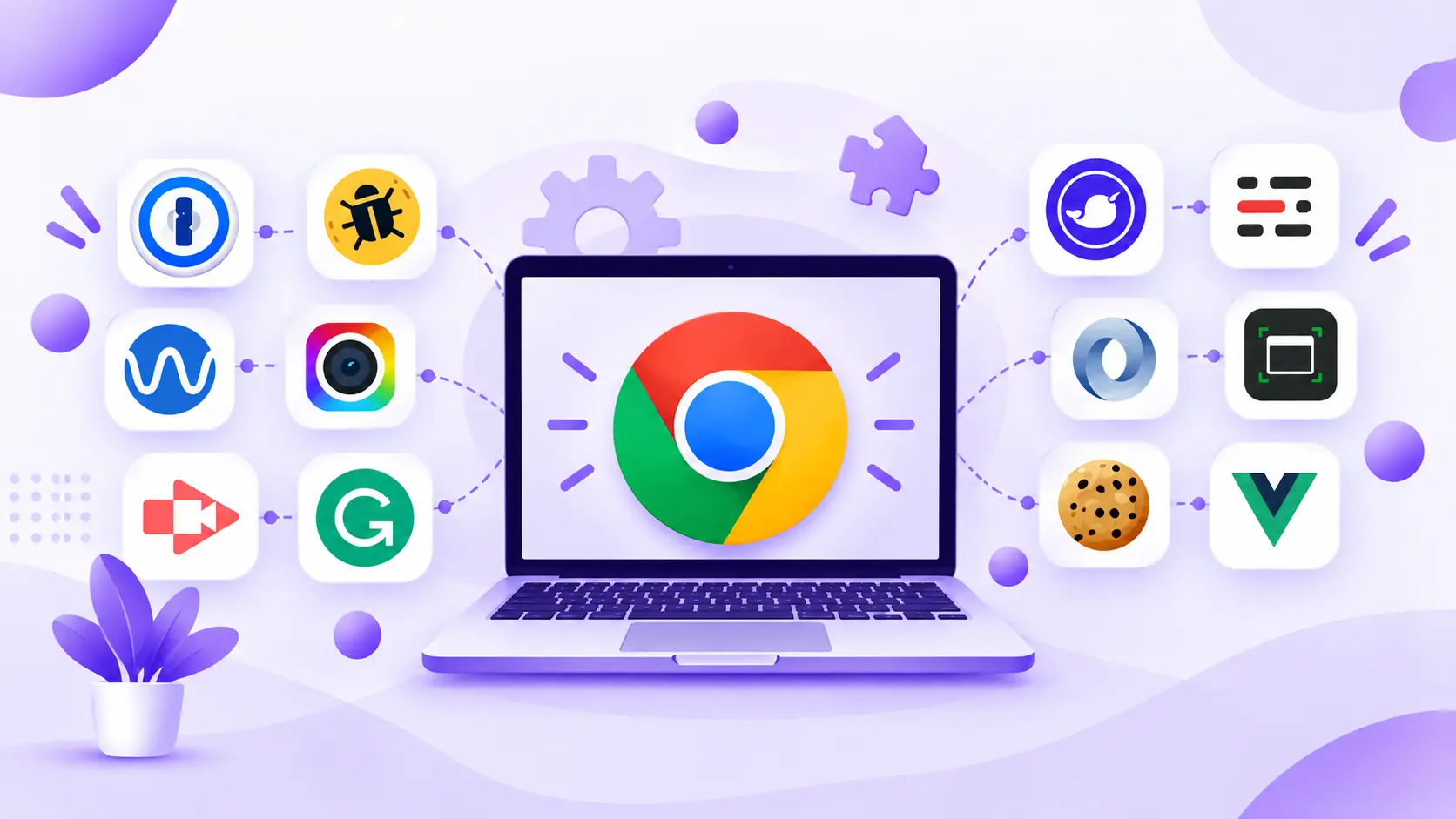
Chrome extensions help digital marketers research keywords, analyze competitors, improve content, manage social media, and complete everyday tasks without constantly switching between tools. The best Chrome extensions for digital marketers make these activities faster and more organized.
This list covers 12 useful tools for SEO specialists, content writers, social media managers, YouTube creators, designers, and outreach professionals. Some offer free features, while others require paid plans for advanced functionality.
You do not need all 12. Start with extensions that solve problems you encounter regularly, then add others when your workflow requires them.
Quick Comparison of the Best Chrome Extensions for Digital Marketers
Chrome extensions provide quick access to marketing insights directly in your browser, making research, proofreading, website analysis, and content planning more convenient.
| Extension | Primary Use | Best For | Pricing Model |
| Keywords Everywhere | Keyword research | SEO professionals | Free and paid features |
| SEOquake | SEO analysis | SEO specialists | Free |
| SEO META in 1 CLICK | On-page SEO checks | Content marketers | Free |
| Wappalyzer | Technology detection | Competitor researchers | Free and paid options |
| Similarweb | Traffic estimates | Marketing strategists | Free and paid options |
| Grammarly | Grammar and clarity | Content writers | Free and paid plans |
| LanguageTool | Multilingual proofreading | Writers and editors | Free and paid plans |
| Buffer | Social media publishing | Social media managers | Free and paid plans |
| vidIQ Vision for YouTube | YouTube optimization | Video marketers | Free and paid plans |
| ColorZilla | Color identification | Designers and marketers | Free |
| Hunter | Email discovery | Outreach professionals | Free and paid plans |
| GoFullPage | Full-page screenshots | Website auditors | Free and paid options |
Pricing, usage limits, and included features can change, so check each provider’s current offering before subscribing. Choose extensions according to your role, budget, and daily tasks rather than installing everything at once.
12 Best Chrome Extensions for Digital Marketers
These 12 extensions are grouped by marketing function, helping beginners find practical starting points and experienced marketers identify tools that complement their existing workflows.
For SEO and Keyword Research
SEO extensions help marketers explore search opportunities, review competitor pages, and identify on-page improvements. They are useful for initial research, although comprehensive SEO decisions may require additional tools and performance data.
1. Keywords Everywhere
Keywords Everywhere supports keyword research by displaying search-related information and related keyword ideas on supported platforms. It helps marketers explore potential topics before preparing a content calendar.
Key features:
- Keyword metrics and search-related data.
- Related keyword suggestions.
- Keyword research across supported websites.
Pros:
- Streamlines keyword discovery.
- Makes research more accessible.
- Helps identify potential content topics.
Cons:
- Some features require paid credits.
- Available metrics depend on the plan and platform.
Expert tip: Research your primary keyword alongside related questions, synonyms, and narrower topics. Group terms by search intent before drafting a blog. This creates a more useful content outline than targeting every keyword independently.
Strong keyword research is one of the essential SEO skills for digital marketers, helping them identify relevant search opportunities and create content that matches user intent.
2. SEOquake
SEOquake provides quick SEO information about webpages and supports search engine results page (SERP) analysis. It helps marketers examine competing content and identify areas that deserve closer investigation.
Key features:
- SEO information for supported pages.
- SERP analysis features.
- On-page SEO diagnostics.
Pros:
- Offers quick SEO insights.
- Supports preliminary competitor research.
- Helps identify possible optimization issues.
Cons:
- Metrics require careful interpretation.
- Advanced analysis may need additional SEO tools.
Expert tip: Compare two competing articles by reviewing their titles, headings, content structure, and relevant page elements. Use the comparison to identify missing information, not simply to copy a competitor’s approach.
3. SEO META in 1 CLICK
SEO META in 1 CLICK makes it easier to inspect a webpage’s metadata and heading hierarchy. It is useful when reviewing content pages before publication or researching competing articles.
Key features:
- Title and meta description checks.
- Heading hierarchy inspection.
- Other available on-page SEO information.
Pros:
- Quick and straightforward to use.
- Useful for content audits.
- Helps beginners understand page structure.
Cons:
- Does not replace a complete SEO audit.
- Cannot independently predict rankings.
Expert tip: Inspect a competitor’s title tag, meta description, and H1 before planning your article. Look for opportunities to answer the searcher’s question more clearly and comprehensively.
For Competitor and Website Analysis
Website analysis extensions help marketers understand competitors’ technology choices and estimate their online reach. Treat these findings as research signals, not definitive evidence of business performance.
4. Wappalyzer
Wappalyzer identifies technologies used by websites, helping marketers investigate the platforms and services behind competing businesses.
Key features:
- Website technology detection.
- Identification of supported platforms and services.
- Technology research for competing websites.
Pros:
- Provides quick technology insights.
- Supports competitor research.
- Helps marketers understand website setups.
Cons:
- Detection may miss some technologies.
- Features and usage limits depend on the plan.
Expert tip: Use Wappalyzer to investigate whether a competitor appears to use a particular content management system, analytics platform, or marketing technology. Verify important findings before using them to guide purchasing decisions.
5. Similarweb
Similarweb provides website traffic estimates and competitive research insights where data is available. Marketers can use it to explore market positioning, compare competitors, and identify broader traffic patterns.
Key features:
- Available website traffic estimates.
- Competitor and audience insights.
- Supported traffic and engagement metrics.
Pros:
- Supports initial market research.
- Makes competitor comparisons easier.
- Adds context to strategic decisions.
Cons:
- Traffic figures are estimates, not actual analytics.
- Data availability varies by website and plan.
Expert tip: Compare several competitors instead of drawing conclusions from a single website. Use traffic estimates to identify patterns, then validate your own site’s performance using Google Search Console and Google Analytics 4 (GA4).
For Content Writing
Writing extensions help marketers improve grammar, clarity, and consistency while creating blogs, landing pages, emails, and social media posts. Human review remains essential for accuracy and brand voice.
6. Grammarly
Grammarly checks writing for grammar, spelling, clarity, and other language improvements across supported websites and applications.
Key features:
- Grammar and spelling suggestions.
- Clarity and wording improvements.
- Writing assistance across supported platforms.
Pros:
- Useful for proofreading marketing copy.
- Helps improve readability.
- Fits many writing workflows.
Cons:
- Advanced suggestions may require a paid plan.
- Recommendations need human review.
Expert tip: Run Grammarly after completing your draft. Review suggested changes individually, especially in technical explanations, brand messaging, and persuasive copy where a small wording change can alter the intended meaning.
Beyond grammar and readability, effective content marketing requires understanding audience needs, creating relevant content, and communicating ideas that support marketing goals.
7. LanguageTool
LanguageTool offers grammar, spelling, and style checks, with multilingual proofreading support that can benefit teams producing content in different languages.
Key features:
- Grammar and spelling checks.
- Style and wording suggestions.
- Multilingual proofreading support.
Pros:
- Helps review written content.
- Supports multiple languages.
- Offers an alternative to other writing assistants.
Cons:
- Some checks require paid plans.
- Suggestions may not fit every context.
Expert tip: Compare its corrections with your editorial guidelines. For multilingual campaigns, ask a fluent reviewer to verify important wording, cultural context, and terminology before publishing.
For Social Media and YouTube Marketing
Social media and video marketing extensions support content discovery, publishing workflows, and optimization research. Their usefulness depends on the platforms and features currently supported.
8. Buffer
Buffer helps marketers organize social media content and publishing workflows. Its browser-based sharing options can make it easier to collect and schedule suitable content.
Key features:
- Browser-based content sharing where supported.
- Social media publishing workflows.
- Content planning and management features.
Pros:
- Simplifies some content-sharing tasks.
- Supports organized publishing.
- Helps structure a consistent content process.
Cons:
- Features vary by platform and plan.
- May not cover every social media management need.
Expert tip: Maintain a content calendar with planned topics, channels, and publication dates. Check Buffer’s current integrations and publishing options before building your workflow around a specific platform.
9. vidIQ Vision for YouTube
vidIQ supports YouTube marketers with keyword research, topic discovery, video optimization assistance, and available competitor insights.
Key features:
- YouTube keyword and topic insights.
- Video optimization assistance.
- Available competitor and channel insights.
Pros:
- Supports YouTube content research.
- Helps explore topic opportunities.
- Assists video optimization workflows.
Cons:
- Some features require a paid plan.
- Recommendations do not guarantee views or rankings.
Expert tip: Use topic insights to develop videos that match audience interests. After publishing, review YouTube Analytics to assess impressions, click-through rate, watch time, and audience retention instead of relying solely on tool recommendations.
For Design, Outreach, and Productivity
These extensions help with visual research, professional contact discovery, and website documentation. They are especially useful when marketers need to gather references or complete repetitive research tasks.
10. ColorZilla
ColorZilla helps marketers identify colors on webpages, making it useful when preparing creative briefs or researching visual trends.
Key features:
- Color picker.
- Color value identification.
- Available color-related tools.
Pros:
- Supports quick visual research.
- Helps prepare creative briefs.
- Makes color references easier to document.
Cons:
- Does not replace a full design application.
- Identifying a color does not grant permission to reuse a brand’s visual identity.
Expert tip: Record color references while analyzing competing websites, then develop original creative assets that follow your own brand guidelines.
11. Hunter
Hunter supports professional contact discovery through domain-based email searches and available verification features. It can help marketers research relevant contacts for business development and outreach.
Key features:
- Domain-based email discovery.
- Available email verification features.
- Contact research for outreach workflows.
Pros:
- Streamlines prospect research.
- Supports relevant professional outreach.
- Reduces manual contact-finding work.
Cons:
- Free usage is limited.
- Contact information may be incomplete or outdated.
Expert tip: Verify contact details, personalize every message, and contact only relevant prospects. Follow applicable privacy, data protection, and anti-spam requirements when conducting outreach.
12. GoFullPage
GoFullPage captures entire webpages, allowing marketers to document landing pages, competitor layouts, and campaign research without stitching together multiple screenshots manually.
Key features:
- Full-page webpage capture.
- Screenshot export options.
- Visual documentation of page layouts.
Pros:
- Useful for website audits.
- Helps document competitor page structures.
- Makes visual references easier to share.
Cons:
- Screenshots do not replace technical testing.
- Export options and advanced features may vary.
Expert tip: Capture a landing page before and after a redesign. Compare headline placement, page sections, calls to action, and visual hierarchy to document changes and support design discussions.
How to Choose the Right Chrome Extensions for Your Marketing Work
The best extensions solve recurring problems without adding unnecessary complexity. Use these practical guidelines when building your toolkit.
- Choose by role: SEO specialists may prioritize keyword research, while writers may need proofreading and social media managers may prefer publishing tools.
- Start with free features: Test whether an extension fits your workflow before paying for advanced capabilities.
- Avoid duplication: Multiple extensions performing the same task can clutter your browser and complicate research.
- Review permissions and privacy: Check requested access, privacy policies, and how collected information is handled, particularly when working with confidential client data.
- Check maintenance and compatibility: Review recent updates, user feedback, supported platforms, and current feature availability.
Conclusion
The right Chrome extensions for digital marketers can simplify keyword research, competitor analysis, writing, social media publishing, outreach, and website audits. However, extensions work best when they support a clear process rather than replace strategic thinking.
Start with two or three tools that address your most frequent tasks, measure whether they improve your workflow, and expand when necessary. Pair browser-based insights with first-party performance data and human judgment to make better marketing decisions.
Using these tools effectively requires more than knowing which extensions to install. A solid foundation in digital marketing skills helps you apply insights across SEO, content strategy, analytics, and campaign planning. A focused toolkit combined with practical knowledge is a more sustainable approach than collecting extensions you rarely use.